

Know exactly what you can spend until payday.
Enter your bills once. Every paycheck tells you what to pay and what's safe to spend.
The budget for people who are tired of complicated spreadsheets. Set it up in 10 minutes, then just open it on payday.
7-day free trial · Cancel anytime
- Setup in 10 minutes
- Bills land on the right paycheck
- Variable pay OK
- No bank login
- Works on your phone
 UntilPaydaynow
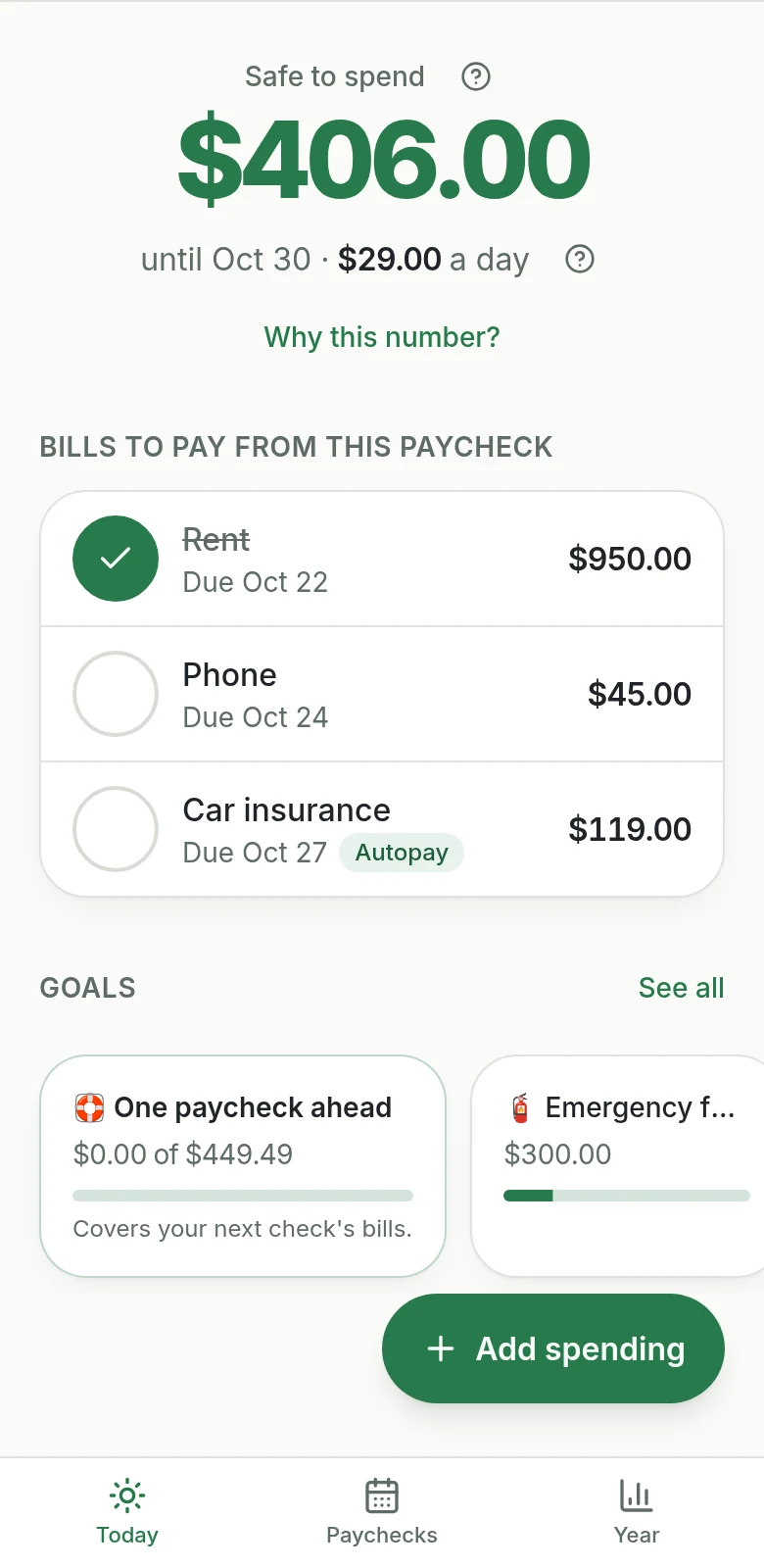
Today you can spend $29.
Next payday: Fri, Oct 30.
Free calculator
What can you spend until payday?
Three quick steps, no signup. See your daily amount and which bills your next paycheck has to cover.

The problem
Sound familiar?
- You bought a budget spreadsheet. It had 14 tabs and a 40-minute tutorial. You never opened it again.
- Every month you type the same bills all over again.
- You're paid every two weeks, rent is monthly, and you never know which paycheck covers what.
- Your hours change, so your budget is wrong before the month even starts.
- The formulas broke, the file was "view only", or it didn't work on your phone.
Before
A blurry budget spreadsheet with 14 tabs.After
It's not you. Most budgets are built for spreadsheets, not for real paychecks.
How it works
Three steps. About ten minutes.
 1
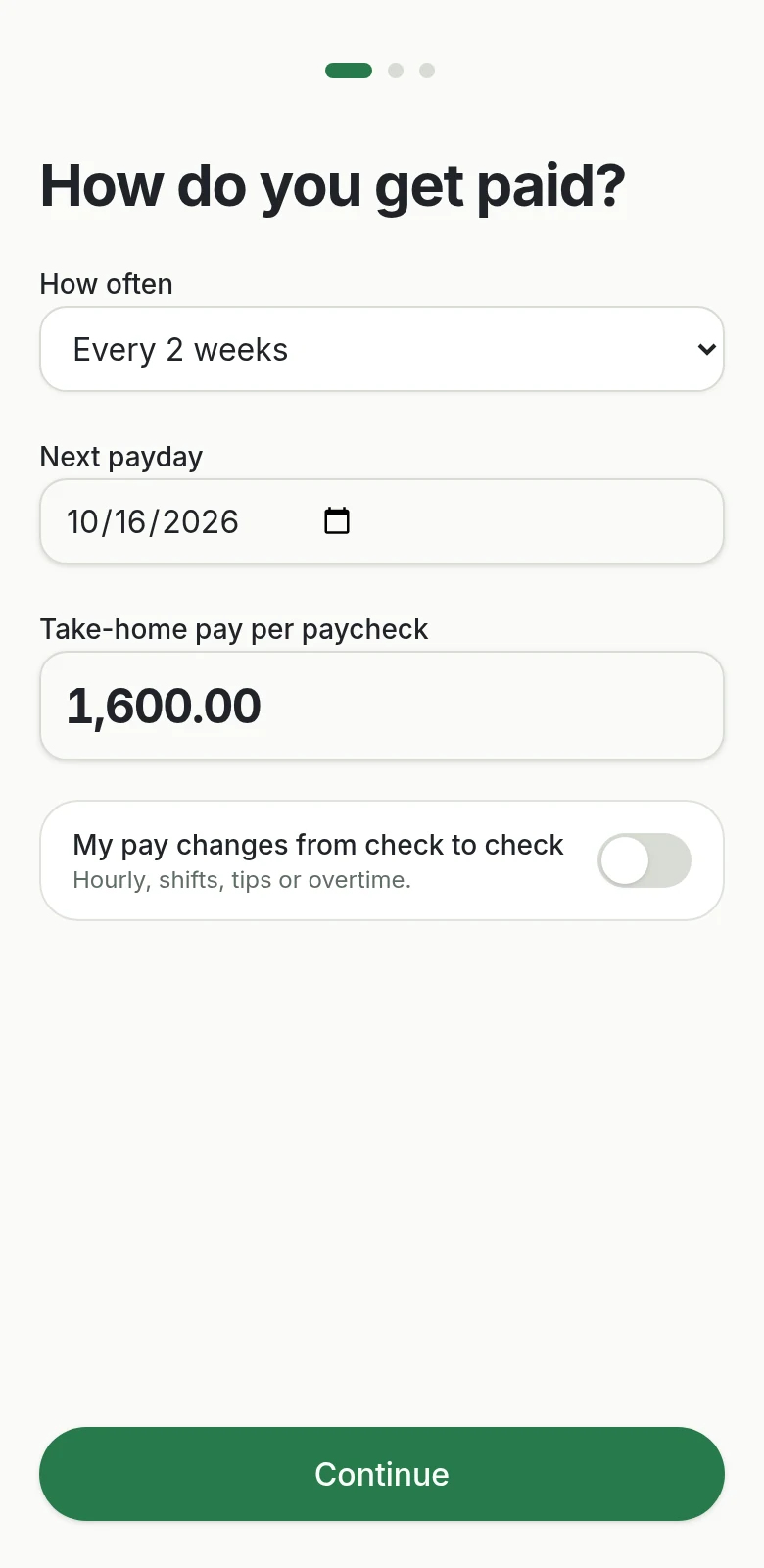
1Add your pay
How often you're paid and roughly how much. Pay changes? Tell us a low but realistic check.
 2
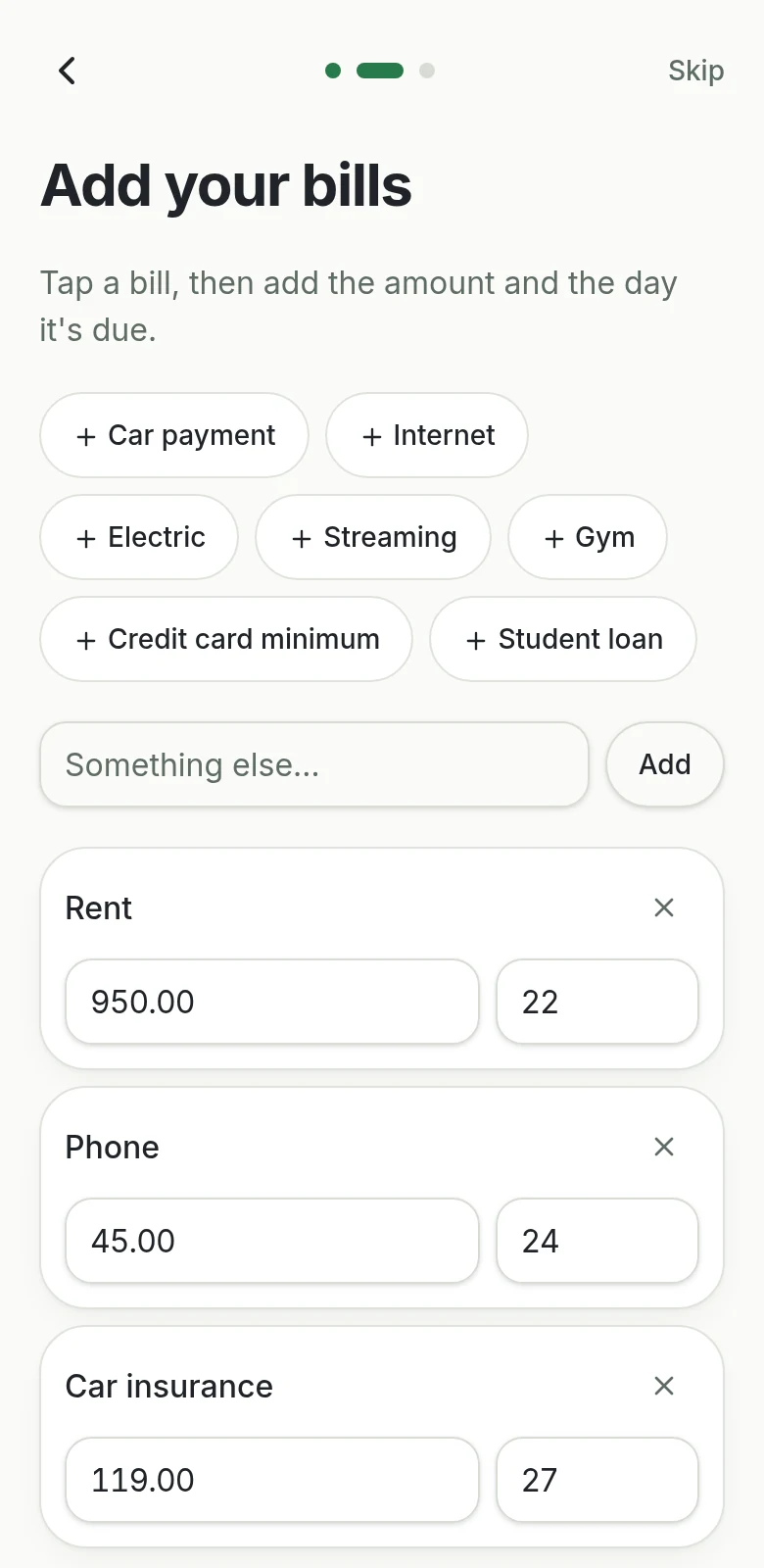
2Add your bills once
Amount and due date. They repeat on their own, forever.
 3
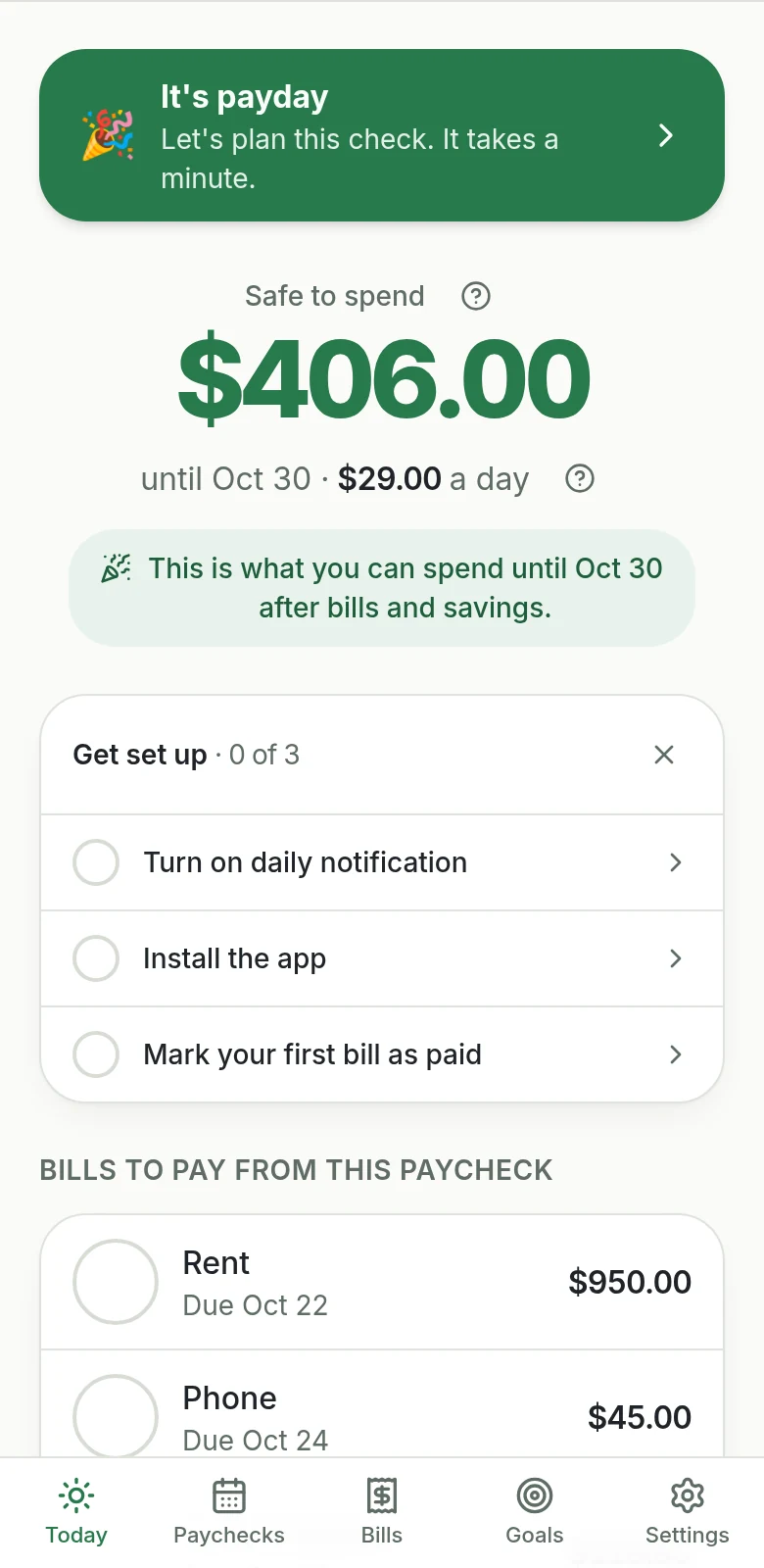
3Open it on payday
See which bills this paycheck covers, what goes to savings and exactly what's left to spend.
Daily notification
Your number, every morning. No app to open.
At the time you pick, UntilPayday sends what's safe to spend today and when your next paycheck lands. Glance at your lock screen and get on with your day.
- iPhone and Android: add it to your home screen from the browser.
- Desktop: notifications right in Chrome, Edge or Safari.
- No app store download. Nothing to install from a store.
Friday, October 16
8:00
UntilPaydaynowToday you can spend $29.
Next payday: Fri, Oct 30.
Get it on your phone
Add it to your Home Screen in 3 taps.
UntilPayday works like an app without an app store. Put it on your Home Screen to open it in one tap and get your number every morning.
- 1
Open it in Safari
Go to untilpayday.app and tap the Share button at the bottom. Using Chrome? It's at the right of the address bar.
- 2
Tap “Add to Home Screen”
Scroll the menu a little and tap Add to Home Screen, then Add.
- 3
Open it from your Home Screen
Tap the UntilPayday icon and turn on your daily number. On iPhone, notifications only work this way.
No app store needed. After you sign up, the app shows you these steps on your phone.
Live demo
Don't take our word for it. Play with it.
The demo runs on sample numbers. Move a bill, add a purchase, mark a paycheck as received. No signup, nothing saved.
Open the live demoFeatures
Works on your phone and your computer.
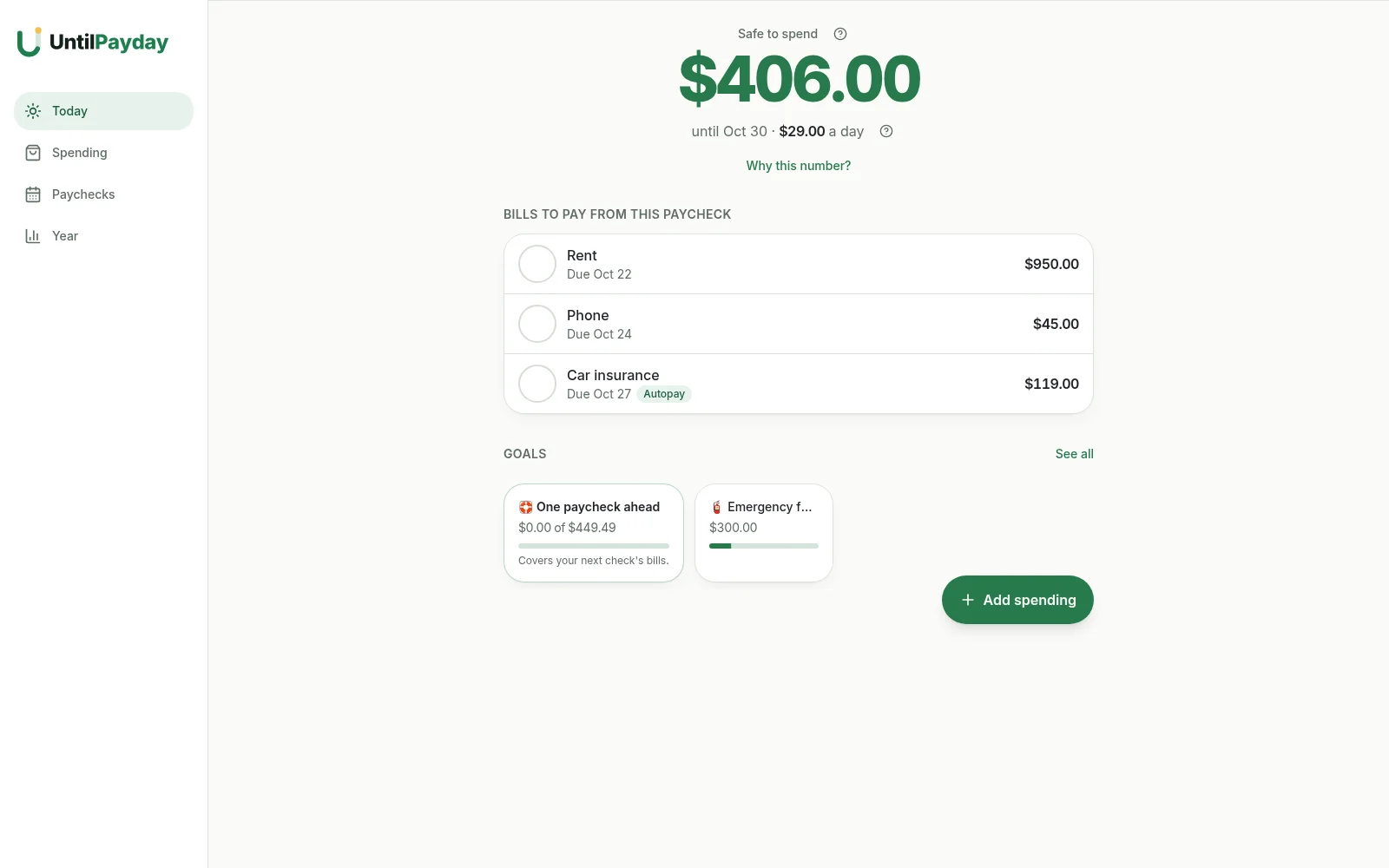
Bills land on the right paycheck
UntilPayday reads every due date and assigns each bill to the paycheck that can cover it, with a couple of days to spare.
One number you can trust
"Safe to spend" shows what's left after bills and savings, plus how much you can spend per day until next payday.
Daily safe-to-spend notification
Every morning your number arrives as a notification on your phone or computer, at the time you choose. No app to open.
Nothing to re-type
Monthly, quarterly and yearly bills repeat on their own. Leftover money rolls into your next paycheck.
See a short paycheck coming
If a paycheck won't cover everything, you'll know days ahead and can move a flexible bill to the next check with one tap.
Switching from a spreadsheet?
Import your bills in one minute. Upload your CSV or Excel file, match the columns, done.
Savings on autopilot
Pick a goal and a date. UntilPayday works out how much to set aside from every paycheck.
Made for your phone
Add a purchase in five seconds. Check your number in line at the store.
Variable pay
Hourly, tips, overtime, gig work? It works when your pay changes.
Plan with a realistic low paycheck. When you get paid, enter the real amount. Got more? Send the extra to a goal or a buffer. Got less? See exactly which bills to shift, before they're late.

Compare
Simpler than a spreadsheet. Cheaper than most apps.
| Budget spreadsheets | Budget apps | UntilPayday | |
|---|---|---|---|
| Built around your paychecks | Rarely | Sometimes | Yes |
| Updates itself every payday | No | Sometimes | Yes |
| Recurring bills fill themselves in | Usually not | Yes | Yes |
| Works well on your phone | Often not | Yes | Yes |
| Asks for your bank login | No | Often | Never |
| What it costs | One time | About $80/year | $59.99/year or $119 once |

Privacy
Your money, your data.
- We never ask for your bank login.
- Your budget is private to your account. Export or delete it anytime.
- Nothing to download: no macros, no locked files, no broken formulas.
Why we built it
Built from what people actually complained about.
Before writing a single line of code, we read 1,494 critical reviews of popular budget templates. UntilPayday is built to fix the top complaints: too complicated, re-typing bills, broken formulas and no real support for biweekly or changing pay.
Paraphrased from real 1–3★ reviews of bestselling budget templates.
“I bought it to save time and needed a long video just to set it up.”
How UntilPayday fixes it
Three steps, about ten minutes. No tutorial needed.
“It splits bills by an 'average' month, so it never matched my actual paychecks.”
How UntilPayday fixes it
Every bill is assigned to the real paycheck that will pay it.
“One formula broke and the rest of the sheet stopped filling in.”
How UntilPayday fixes it
No formulas to break, no cells to protect.
“The file came locked and kept throwing errors on my device.”
How UntilPayday fixes it
Opens in any browser and installs on iPhone and Android.
Pricing
Less than $5 a month.
Card required. You won't be charged until day 8. Cancel anytime before then.
- 30-day money-back guarantee
- No bank login
- Cancel anytime
- Secure payments by Stripe
Most paycheck apps cost $80/year
UntilPayday is $59.99/year — about $5 a month. Or $119 once.
- Works on Android, iPhone and desktop
- Built for variable paychecks
- Daily “safe to spend” notification
- No bank login required
30-day money-back guarantee
If UntilPayday doesn't make payday calmer, email us within 30 days for a full refund.
FAQ